f.lux is a piece of software for Mac OS X, Windows, Linux and Android operating systems that allows users to control the amount of blue light their computer screens emit throughout the day. Whether you use your computer during the day or at night, it controls blue light to lessen the effects it has on our bodies.
For those unfamiliar with the concept, blue light from computer screens mimics sunlight in such a way that our bodies can’t tell the difference between the two. Since sunlight helps our bodies determine when to go to sleep and when to wake up, being exposed to constant blue light never allows our brains to fully shut down at night. f.lux provides a solution by cutting our the amount of blue light emitted from computer screens, in turn helping users sleep better at night and wake up refreshed in the morning. Especially useful for those who work late, it can lessen the burden of a bright, unsightly display.
Personalize and Customize
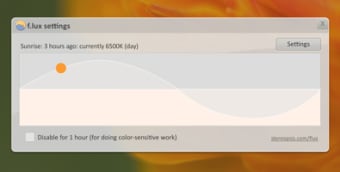
f.lux comes programmed with default settings that allow for optimal screen viewing, but users can adjust them to however they like. Typically set at regular hue and brightness during the day, these settings slowly change the screen to a warmer orange glow at night that is less offending to the eyes. Ultimately, if you’re staying up late because of your computer, f.lux can help ease your nighttime work help you get to sleep when you need to.
Laws concerning the use of this software vary from country to country. We do not encourage or condone the use of this program if it is in violation of these laws. Softonic may receive a referral fee if you click or buy any of the products featured here.